Spotting phishing attempts: Key signs and defense strategies

Phishing attacks have moved well past the era of misspelled emails from Nigerian princes. Today, threat actors use generative AI to craft messages that perfectly mimic your CFO’s writing style, deploy QR codes that sidestep email filters, and intercept multifactor authentication in real time. NIST recommends phishing-resistant authenticators like FIDO2, but even strong technical controls fall short when attackers target human judgment directly. For security leaders managing AI deployments and distributed teams, recognizing the subtle, evolving signs of modern phishing is now as critical as the technical stack itself.
Table of Contents
- Core signs of modern phishing attempts
- Advanced techniques: AI, QR phishing, and adversary-in-the-middle
- Layered defenses: Technical controls and human vigilance
- Spotting and reporting: Decision framework for professionals
- Why awareness alone isn’t enough: The missing link in anti-phishing strategy
- Strengthen your anti-phishing program with The Pitstop
- Frequently asked questions
Key Takeaways
| Point | Details |
|---|---|
| Evolving phishing tactics | Modern attacks leverage AI and novel payloads requiring deeper, multi-layered detection strategies. |
| Both tech and training matter | Success against phishing comes from blending technical controls with targeted employee engagement. |
| Reporting is critical | Quick identification and escalation of suspicious activity minimizes business risk and data breach impact. |
| Continuous improvement | Regular simulations and technology upgrades close gaps as attacker techniques change. |
Core signs of modern phishing attempts
With the stakes set, let’s break down these evolving warning signs one by one.
Modern phishing rarely announces itself. The days of obvious typos and broken formatting are mostly gone. Attackers now invest serious effort into making every element of their lure look legitimate, which means you need to look for different tells.
Key indicators to watch for:
- Sender domain mismatches. The display name may say “IT Support” but the actual sending address might be from a domain registered last week. Look past the friendly name and inspect the raw header.
- Urgency and authority combined. Legitimate business processes rarely require you to approve a wire transfer in the next 15 minutes. When a message pairs executive authority with extreme time pressure, that combination is a red flag.
- Unexpected changes in communication patterns. Business email compromise (BEC) attacks often impersonate someone you know. A sudden shift in how that person phrases requests, or a new email thread started outside your usual platform, signals something is off.
- Suspicious QR codes or encoded links. QR codes in email attachments or Slack messages can redirect to credential harvesting pages that look identical to your corporate login. Encoded URLs that shorten or obscure the destination are equally dangerous.
- Near-perfect wording and branding. Generative AI lets attackers produce polished, brand-accurate content at scale. A grammatically perfect email that still “feels off” in context deserves scrutiny.
- Unfamiliar agent badges or automated prompts. As AI agents proliferate in workflows, attackers can spoof agent identities. An automated workflow invite from an agent you don’t recognize should be verified before you act on it.
As no single filter stops sophisticated AI/BEC attacks, the human layer remains the last line of defense in many scenarios. That’s not a weakness to accept passively. It’s a reason to sharpen human detection skills continuously.
Pro Tip: If an invite or prompt arrives from an AI agent carrying an unfamiliar trust badge, pause before engaging. Check with your team through a separate, verified channel. Legitimate agents built on platforms like the Infinity Protocol carry cryptographic trust markers that can be independently verified.
Statistic callout: According to 2026 phishing benchmarks, organizations that run targeted simulations see susceptibility drop by 86% and reporting rates climb to 21%. That gap between 0% and 21% reporting represents thousands of attacks caught before they escalate.
For a broader look at how to structure your response, the AI phishing defense guide from our team is worth bookmarking.
Advanced techniques: AI, QR phishing, and adversary-in-the-middle
Recognizing warning signs is more critical as threat actors evolve. Let’s examine the cutting edge tools attackers use and how they’re detected.

The threat landscape has shifted from opportunistic mass campaigns to precision strikes. Three attack categories now dominate what security teams are seeing in enterprise environments.
AI-generated spear phishing and BEC
Generative AI enables attackers to analyze public LinkedIn profiles, earnings calls, press releases, and internal documents obtained through earlier breaches. The result is a spear phishing email that references real projects, uses correct internal terminology, and matches the target’s communication style. It’s no longer enough to ask “does this sound like my boss?” because the attacker has already studied how your boss sounds.
BEC attacks using AI are especially dangerous because they target finance and HR teams who process large transactions daily. A single successful BEC can result in six or seven figure losses before anyone realizes the email was fake.
QR code phishing (quishing)
QR codes are now a primary delivery mechanism for credential harvesting. Attackers embed QR codes in PDF attachments, printed materials, or even digital meeting invites. When scanned, the code redirects to a fake login page that mirrors your corporate SSO environment. Because the malicious URL is encoded inside an image, many QR security risks bypass standard URL-scanning filters entirely.
The fix isn’t to ban QR codes. It’s to train users to preview QR destinations before visiting them and to never enter credentials on a page reached through a QR code embedded in an unsolicited message.
Adversary-in-the-middle (AiTM) attacks
AiTM attacks represent the most technically sophisticated threat on this list. The attacker places a reverse proxy between your user and the legitimate login page. The user sees a perfect replica of the real site, enters credentials, and even completes an MFA challenge. The attacker captures the session token in real time, giving them authenticated access without ever needing your password again.
This technique defeats standard MFA because it intercepts the session, not the credential. The only reliable defense against AiTM is phishing-resistant authentication like FIDO2 hardware keys, which bind the authentication to the specific origin domain and cannot be relayed.
“No technical filter is perfect. It’s about defense in depth and user awareness.”
Statistic callout: Phishing simulations focused on BEC, QR, and AiTM are measurably more effective than generic phishing tests. Organizations that match their simulation scenarios to real-world attack types see the strongest improvements in both detection and reporting behavior.
Our AI security scanning tool maps your current posture against these specific attack categories, giving you a clearer picture of where your gaps actually are rather than where you assume they might be.
Layered defenses: Technical controls and human vigilance
Having seen how attacks exploit both tech and human weaknesses, here’s how blending technical and social defenses creates resilient security.
Neither pure technology nor pure training is sufficient on its own. Every major breach involving phishing succeeds because something failed on at least two levels simultaneously. The goal is to make simultaneous failures as unlikely as possible.
Technical controls vs. human training: A comparison
| Control | What it stops | What it misses |
|---|---|---|
| DMARC reject policy | Spoofed sender domains at the email level | Lookalike domains, compromised accounts |
| FIDO2 authentication | Credential replay and AiTM attacks | Social engineering to bypass enrollment |
| Web and email gateways | Known malicious URLs and attachments | Zero-day links, QR codes, encoded payloads |
| Security awareness training | User susceptibility to known patterns | Novel attacks, AI-generated precision lures |
| Phishing simulations | Reactive detection skills | Proactive architectural gaps |
As NIST’s digital identity guidelines make clear, layered defenses including a DMARC reject policy are essential, not optional. The table above shows why: every control has a blind spot, and layering them means an attacker must defeat multiple independent barriers.
Steps to implement layered defenses:
- Deploy DMARC at reject policy. Audit your sending domains, configure SPF and DKIM records, and move from monitoring to enforcement. This alone eliminates a large volume of domain spoofing attempts.
- Roll out FIDO2 for privileged accounts. Start with finance, HR, and IT admins. These are the accounts attackers target most aggressively in BEC and AiTM campaigns.
- Configure web and email gateways with sandboxing. Enable deep inspection for attachments and use sandboxing to detonate suspicious files in an isolated environment before delivery.
- Establish a formal security awareness training cadence. Monthly micro-training modules covering current attack types are more effective than an annual 45-minute course.
- Run quarterly phishing simulations targeting current threat vectors. Rotate through BEC, QR phishing, and AiTM scenarios. Track reporting rates, not just click rates.
- Review and update incident response playbooks every quarter. Fast response limits damage. A team that has rehearsed the response will act faster than one reading the playbook for the first time during an incident.
Understanding how AI security risks interact with these defenses is critical as AI agents become part of your workflow. Our security scan tool can assess both your technical posture and human resilience in a single automated pass.
Pro Tip: Simulate a new attack type every quarter. Teams that only train on the same phishing scenarios develop pattern recognition for simulations, not for real attacks. Varying the vector forces genuine critical thinking rather than learned responses.
For broader website security features that complement email defenses, combining browser isolation and certificate monitoring adds another layer that many organizations overlook.
Spotting and reporting: Decision framework for professionals
Once the layers are set, the next challenge is consistently applying them in day-to-day decision making. Here’s a practical framework.
Even the best technical stack can’t compensate for a user who doesn’t know what to do when something looks wrong. A simple, repeatable decision framework reduces hesitation and speeds up escalation.
The four-step response cycle:
- Identify. Something feels off about an email, message, or automated prompt. Stop. Do not click, reply, or scan any code. Note the specific elements that triggered suspicion, such as the sender address, the URL preview, or the unusual request.
- Validate. Use a separate, verified communication channel to confirm whether the request is legitimate. Call the sender directly. Check the internal system that would normally generate this type of request. Do not reply to the suspicious message itself to ask if it’s real.
- Report. Submit the message to your security team using your organization’s designated reporting mechanism, whether that’s a phishing report button, a SIEM-connected inbox, or a dedicated alias. Speed matters. Early reports give the SOC time to block infrastructure before other users are hit.
- Remediate. If you clicked or submitted credentials, escalate immediately. Password resets, session revocations, and MFA re-enrollment should happen within minutes, not hours. Document what happened to support the post-incident review.
Common phishing signs and recommended actions:
| Phishing sign | Recommended action | Escalation contact |
|---|---|---|
| Suspicious sender domain | Do not reply; report to security team | SOC or IT security |
| Urgent payment or credential request | Verify via phone; report immediately | Finance security lead |
| Unexpected QR code in email | Do not scan; forward to security team | SOC |
| AI-generated BEC with exec impersonation | Verify via verified channel; hold the request | CISO or CFO directly |
| Unfamiliar agent or automated prompt | Pause workflow; verify agent credentials | IT or AI ops team |
| Suspicious link in chat or collaboration tool | Do not click; screenshot and report | Security helpdesk |
Training that reduces susceptibility by 86% is effective precisely because it builds this kind of automatic decision-making. The framework above should be practiced, not just memorized.
Our phishing reporting workflows integrate directly with SIEM tools to streamline escalation. If you want to benchmark where your team currently stands, the phishing assessment tool gives you a rapid baseline.
Why awareness alone isn’t enough: The missing link in anti-phishing strategy
While tactical frameworks simplify day-to-day defense, let’s step back and consider what’s still missing in most anti-phishing programs.
Here’s the uncomfortable truth most security vendors won’t say out loud: training metrics are a comfort blanket. When an organization celebrates dropping their simulated phishing click rate from 20% to 7%, that’s genuinely good progress. But 7% of a thousand-person organization is still 70 people who would click on a real attack. And a real AI-powered spear phishing campaign won’t use the same template you trained on last quarter.
Most organizations overindex on training completion rates and click metrics while ignoring the architectural and process gaps that make phishing succeed even when users detect it. Think about what happens after a user reports a suspicious email. How fast does your SOC respond? What’s the average time to block the malicious domain? How quickly can you revoke a compromised session? If those answers are “we’ll get to it today” rather than “under 15 minutes,” training alone will not save you.
The deeper issue is that cybersecurity innovations in AI are advancing on both sides of the fight. Attackers use the same generative AI tools defenders use, often with fewer constraints. Expecting human teams to outperform AI-generated precision attacks through awareness alone is an unrealistic standard.
True resilience requires integrated systems: real-time reporting that feeds adaptive controls, simulation programs that evolve with the threat landscape, and recovery playbooks that get practiced quarterly rather than filed away. It also requires honest evaluation of anti-phishing tool comparisons to understand where your current stack actually has gaps versus where vendors claim coverage.
“The only unphishable system is one in which humans and technology are both skeptical and connected.”
That connection is exactly what most programs are missing. Humans who report fast. Technology that responds immediately. Processes that link the two without friction. Building that connection is harder than running a training program, but it’s what actually works.
Strengthen your anti-phishing program with The Pitstop
Here’s how The Pitstop can help you implement best practices in real-world environments.
If you’ve read this far, you already know that the most dangerous gap in your anti-phishing program probably isn’t technical knowledge. It’s the space between what your team knows and what your systems actually test and measure.
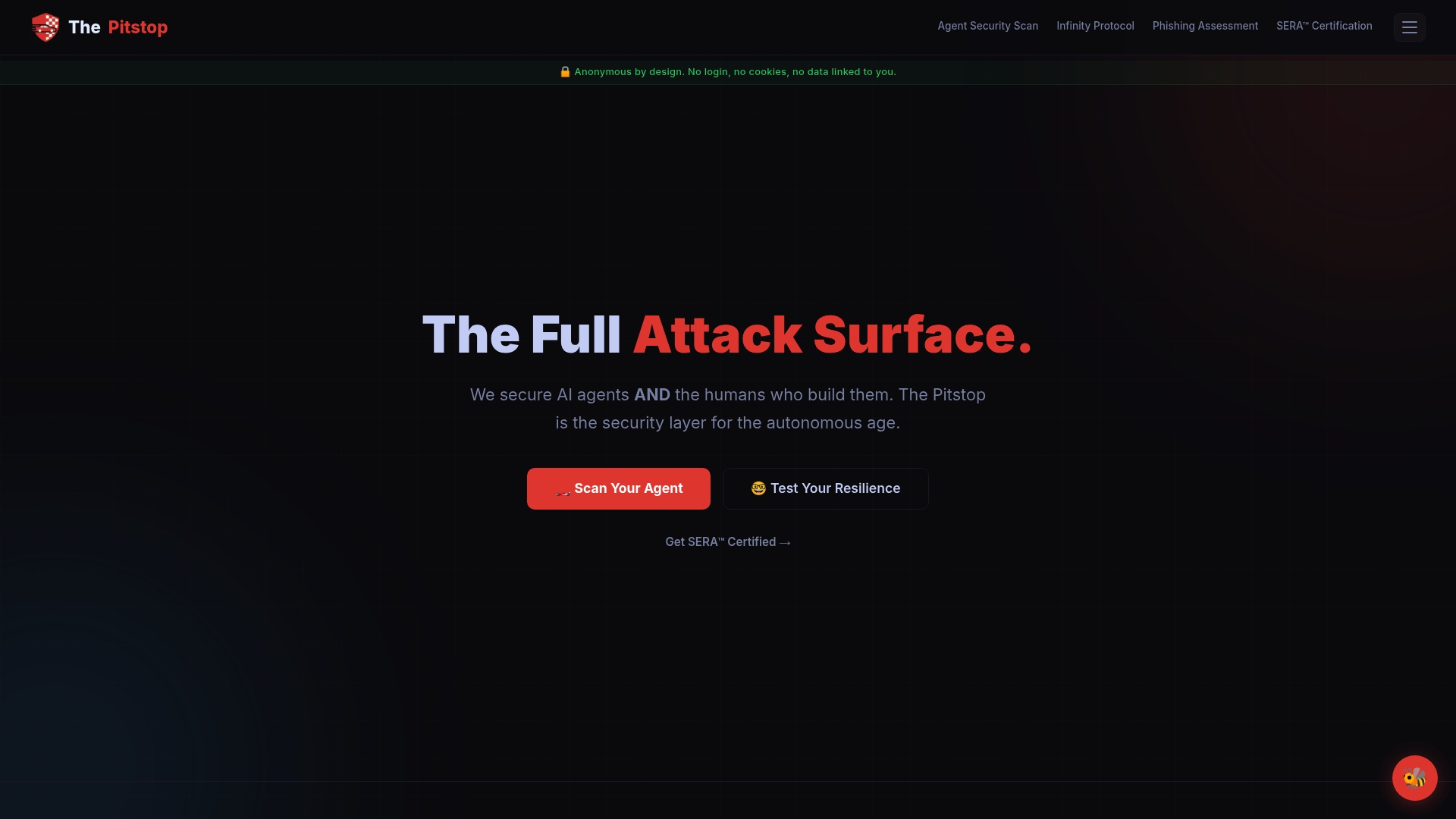
The Pitstop offers purpose-built tools to close that gap. The SERA Certification gives your team a formal, verifiable credential for social engineering resilience, moving beyond checkbox training into structured, assessed competency. For AI-specific risks, our OWASP mapping for AI aligns your LLM and agent security posture to recognized standards, so you’re not guessing about coverage. And the Infinity Protocol establishes cryptographic trust between AI agents and human operators, making agent impersonation attacks dramatically harder to execute.
Pro Tip: Layering trusted solutions amplifies both human and technical defenses. A platform that tests machines and humans together gives you a unified view of your actual risk surface, not two separate reports that never talk to each other.
Frequently asked questions
How can you tell if an email is part of a phishing attempt?
Look for unusual sender domains, urgent or authority-laden requests, and subtle changes in language or procedure compared to normal business emails. Because no single filter stops sophisticated AI/BEC, human judgment trained on current attack patterns remains essential.
Why are QR codes used in phishing attacks?
QR codes bypass many technical filters because the malicious URL is encoded inside an image rather than plain text. They redirect users to credential harvesting pages, making them a growing phishing vector that requires specific user training to counter.
What technical defenses are recommended against phishing?
NIST recommends phishing-resistant authenticators like FIDO2, combined with a DMARC reject policy and web and email security gateways. These layered controls each address different attack vectors and reduce the chance of simultaneous failure.
How effective is ongoing security training against phishing?
Regular training reduces susceptibility by 86% and pushes reporting rates to 21% when simulations focus on real-world attack types like BEC, QR phishing, and AiTM. Generic annual training without scenario variation delivers significantly weaker results.