AI Security Workflow Guide for Developers and Leaders

An AI security workflow is a structured set of automated, layered controls that protect AI systems from development through deployment, covering infrastructure, identity, data, and application layers. This is the industry’s recognized approach to what security teams call “AI system resilience.” This ai security workflow guide draws on the AWS AI Security Framework, Microsoft Zero Trust for AI, and Anthropic Claude Security to give AI developers, cybersecurity professionals, and business leaders a concrete, repeatable path to securing every stage of an AI pipeline.
What are the foundational layers in an AI security workflow?
Securing AI workflows requires controls at three distinct layers: infrastructure, identity and data, and AI application. Each layer addresses a different class of risk, and skipping any one of them leaves the entire system exposed. Traditional IT security models cover only the first layer well. AI workflows demand all three.
The AWS AI Security Framework maps these layers to three development phases: foundational (prototype), enhanced (production), and advanced (scale). Phase 1 extends existing cloud controls, such as AWS Control Tower for governance and AWS KMS for identity management, to AI workloads. Phases 2 and 3 add threat detection and governance automation as the system matures. This phased approach prevents teams from bolting on security after deployment, which is the most common and costly mistake in AI development.

Pro Tip: Start your security review at the infrastructure layer before your first model call. Compute isolation and network segmentation are far cheaper to fix at prototype stage than at production.
The table below shows how security focus shifts across layers and phases.
| Layer | Foundational phase | Enhanced phase | Advanced phase |
|---|---|---|---|
| Infrastructure | Compute isolation, network segmentation | Runtime monitoring, patch management | Automated compliance, threat detection |
| Identity and data | Authentication, access control | Secrets management, data classification | Zero Trust identity for AI agents |
| AI application | Input validation, output filtering | Guardrail tuning, model versioning | Red teaming, behavioral monitoring |
Microsoft’s Zero Trust for AI adds a critical dimension: AI agents must be treated as potential internal threats, not trusted components. An overprivileged or misaligned agent can work against organizational goals just as effectively as an external attacker. Zero Trust principles, applied specifically to AI agent identities and their runtime behavior, close that gap.
Which tools accelerate continuous security auditing of AI workflows?
Continuous security auditing is the operational core of any AI cybersecurity strategy. One-time audits create a false sense of safety. AI systems change with every model update, data pipeline change, and dependency upgrade, so the security posture changes too.
Claude Security enables scheduled, automated vulnerability scans that compress remediation time from days to a single work session. Its confidence rating system lets security teams act quickly without second-guessing findings. That speed matters because the window between vulnerability discovery and exploitation in AI systems is shrinking.
Open-source tools fill the gaps that commercial platforms leave. The following combination covers the most critical audit surfaces for AI workflows:
- Trivy: Container image scanning for known CVEs and misconfigurations
- Bandit: Static source code analysis for Python, the dominant language in AI pipelines
- Yamllint: Configuration file linting to catch syntax errors and policy violations
- Semgrep: Pattern-based code analysis for custom security rules
- OWASP Dependency-Check: Identifies vulnerable third-party libraries in AI project dependencies
Each tool targets a different attack surface. Running them together in a scheduled pipeline gives security teams a continuous cadence model rather than a point-in-time snapshot. Automated scanning also reduces false positives compared to manual review, which means fewer wasted hours chasing phantom vulnerabilities.
Pro Tip: Combine Trivy and Bandit in a single CI/CD pipeline stage. Running both on every pull request catches container and code vulnerabilities before they reach staging, cutting your patch cycle by days.
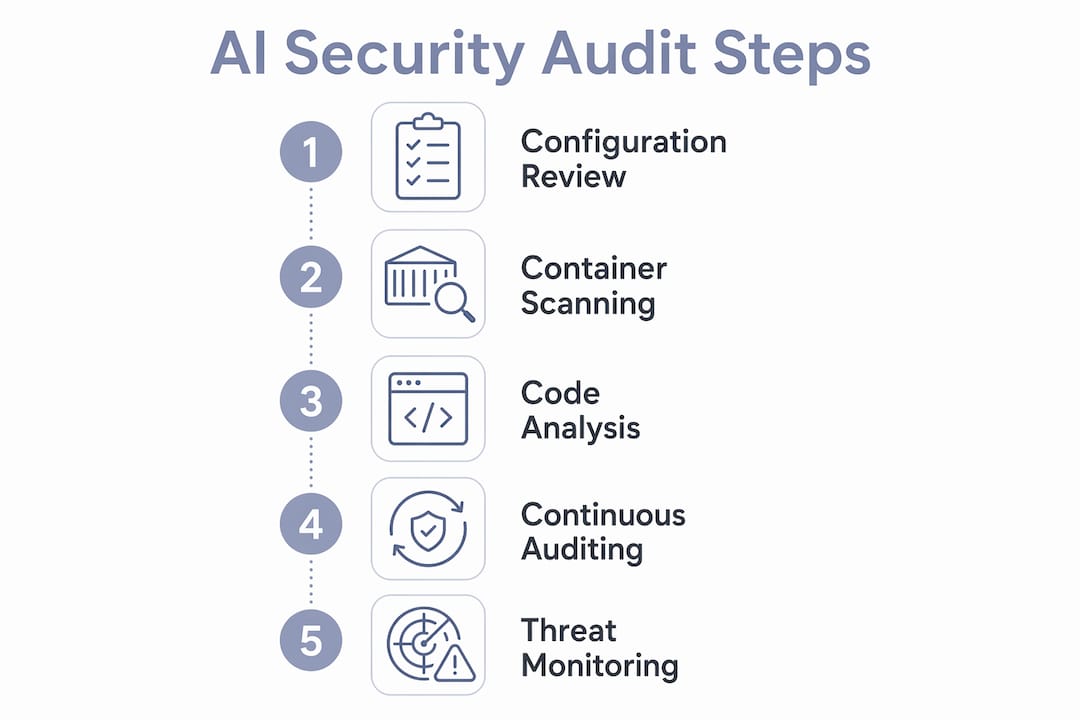
How to perform a step-by-step security audit of your AI workflow
A systematic audit covers configuration, source code, containers, endpoints, and access controls. Follow these eight steps in order. Each step builds on the previous one, and skipping ahead produces incomplete findings.
- Map all workflow components. List every data source, preprocessing script, model, API endpoint, and output consumer. You cannot secure what you have not cataloged.
- Identify trust zones and sensitive data flows. Draw boundaries between trusted and untrusted components. Mark where personally identifiable information, model weights, and API keys travel.
- Audit configuration files. Run Yamllint against all YAML and JSON configs. Check for hardcoded credentials, overly permissive roles, and disabled security features.
- Analyze source code for vulnerabilities. Run Bandit on all Python scripts. Review flagged items manually; Bandit catches injection risks, insecure deserialization, and weak cryptography.
- Scan container images. Run Trivy against every container in the workflow. Prioritize critical and high-severity CVEs. Rebuild images with patched base layers before deployment.
- Test model and API endpoint security. Send malformed inputs, oversized payloads, and adversarial prompts to every endpoint. Verify that rate limiting, authentication, and output sanitization are active.
- Review access controls and secrets management. Confirm that every service account follows least-privilege principles. Rotate any secrets that appear in logs, environment variables, or version control history.
- Document findings and remediate. Assign a severity rating and owner to each finding. Track remediation in a ticketing system. Re-run the relevant scan after each fix to confirm closure.
The table below maps each audit step to its primary tool and the risk it addresses.
| Audit step | Primary tool | Risk addressed |
|---|---|---|
| Configuration review | Yamllint | Misconfigurations, exposed secrets |
| Source code analysis | Bandit | Injection flaws, weak cryptography |
| Container scanning | Trivy | Known CVEs in images and dependencies |
| Endpoint testing | Manual + automated probes | Auth bypass, prompt injection |
| Access control review | Cloud IAM audit tools | Overprivileged accounts, leaked credentials |
| Dependency check | OWASP Dependency-Check | Vulnerable third-party libraries |
Teams that run this audit quarterly and after every major model update maintain a measurable security baseline. Teams that audit once at launch do not.
What are the advanced AI-specific security challenges?
AI systems face attack surfaces that traditional threat models do not cover. Prompt injection, data poisoning, model jailbreaking, and data exfiltration risks are unique to AI pipelines and require AI-specific defenses.
MITRE ATLAS and OWASP Top 10 for LLMs are the two most widely adopted frameworks for mapping these attack paths. MITRE ATLAS catalogs adversarial machine learning tactics with the same structure as the MITRE ATT&CK framework, making it familiar to security teams. OWASP’s LLM coverage mapping focuses specifically on large language model risks, including prompt injection, insecure output handling, and training data poisoning. Both frameworks identify attack paths that generic vulnerability scanners miss entirely.
The most important finding from NIST’s 2026 research is direct: no finite set of guardrails can universally prevent adversarial prompts. Static guardrails fail because adversaries adapt faster than any fixed rule set can anticipate. This is a mathematical proof, not a best-practice opinion. Security must rely on continuous discovery, red teaming, and patching.
“Traditional, static security models are inadequate for AI, demanding agile, layered, and continuous security approaches tailored to AI’s unique challenges.” — AWS AI Security Framework
Key mitigations for AI-specific risks include:
- Prompt injection defense: Validate and sanitize all inputs before they reach the model. Apply output filtering to catch injected instructions in responses.
- Data poisoning prevention: Audit training data provenance. Use cryptographic checksums to verify dataset integrity before each training run.
- Model behavioral monitoring: Log model inputs and outputs in production. Alert on statistical anomalies that indicate jailbreaking attempts or unexpected behavior shifts.
- Red teaming cadence: Schedule adversarial testing at least quarterly. Use both automated tools and human red teamers to probe for novel attack paths.
- Supply chain verification: Verify the integrity of every model weight, library, and container image before deployment. Treat unverified dependencies as untrusted.
Microsoft’s Zero Trust for AI guidance reinforces this point: security leaders must treat AI agents as potential internal threats requiring continuous monitoring, not just perimeter defense.
Key takeaways
Securing AI workflows requires layered controls across infrastructure, identity, and application layers, combined with continuous monitoring, because no static guardrail set can withstand adaptive adversarial attacks.
| Point | Details |
|---|---|
| Use three security layers | Apply controls at infrastructure, identity/data, and AI application layers for complete coverage. |
| Follow phased development | Match security controls to your development phase: foundational, enhanced, then advanced. |
| Automate continuous auditing | Use Trivy, Bandit, and Claude Security together to maintain a continuous security cadence. |
| Apply AI-specific threat models | Use MITRE ATLAS and OWASP Top 10 for LLMs to identify attack paths generic tools miss. |
| Treat AI agents as potential threats | Zero Trust for AI requires monitoring agent behavior at runtime, not just at the perimeter. |
The uncomfortable truth about AI security maturity
Most organizations I work with treat AI security as a one-time checklist. They complete a pre-launch audit, check the compliance box, and move on. That approach worked for static software. It does not work for AI systems that change behavior with every new input distribution, model update, or prompt pattern.
The NIST mathematical proof published in 2026 confirmed what practitioners already suspected: you cannot write a finite set of rules that covers every future adversarial prompt. That changes the entire framing. Security is no longer a state you achieve. It is a process you maintain. The teams that internalize this shift early will outpace those that keep treating AI security as a project with an end date.
The other gap I see consistently is the separation between AI developers and security teams. Developers build the pipeline. Security reviews it later. By the time the review happens, the architecture is locked and remediation is expensive. Cross-functional collaboration from the first sprint is not a soft skill recommendation. It is a cost-reduction strategy. Executive sponsors who fund joint AI-security teams from day one see fewer critical findings at launch and faster remediation cycles throughout the product lifecycle.
The tools are getting better fast. Claude Security, MITRE ATLAS, and the AWS AI Security Framework give teams a real foundation. The limiting factor is not tooling. It is organizational willingness to treat AI security as a continuous discipline rather than a deployment gate.
— Nicholas
Start assessing your AI agent security today
Thepitstop builds free, automated tools specifically for securing AI agents and the humans who operate them. The platform covers the full attack surface: prompt injection, data exfiltration, supply chain vulnerabilities, and human susceptibility to social engineering.
The AI Agent Liability Gap white paper gives security leaders a direct framework for understanding where AI agent risk sits legally and operationally. The free Agent Security Scan runs an automated assessment of your AI workflow’s attack surface in minutes, with no setup required. For teams that need to certify human resilience alongside machine security, the SERA™ Certification provides a professional credential for social engineering defense. Thepitstop’s mission is to make comprehensive AI security accessible before the next breach, not after it.
FAQ
What is an AI security workflow?
An AI security workflow is a structured set of layered controls applied across infrastructure, identity, data, and AI application layers to protect AI systems from development through deployment. It combines automated scanning, access controls, and continuous monitoring into a repeatable process.
Why are static guardrails insufficient for AI security?
NIST’s 2026 mathematical proof shows that no finite set of guardrails can universally prevent adversarial prompts. Adversaries adapt faster than fixed rules, so continuous monitoring and red teaming are the only viable long-term defenses.
What tools should I use for AI workflow security auditing?
Trivy covers container scanning, Bandit handles Python source code analysis, Yamllint validates configuration files, and Claude Security provides automated vulnerability scanning with confidence ratings for faster remediation.
How does Zero Trust apply to AI agents?
Microsoft’s Zero Trust for AI treats AI agents as potential internal threats, requiring continuous monitoring of agent behavior at runtime. Every agent identity receives least-privilege access, and all agent actions are logged and verified against expected behavior.
How often should I audit an AI workflow?
Run a full audit quarterly and after every major model update, dependency change, or architecture modification. Continuous automated scanning with tools like Trivy and Bandit should run on every code commit.